Digital menu boards
A Shift-Proof Workflow for Rotating Beer Tap Lists on TV
A digital tap list is only useful when guests can trust it. Use clear ownership, standardized beer details, and a quick verification routine to keep every screen aligned with the active draft lineup.
A keg rarely kicks at a convenient time. It happens during a rush, when the bar is three tickets deep and the replacement beer may not be the one everyone expected.
That is where a digital beer tap list can either help or create another problem. If the television still shows the old beer, guests order something you cannot pour. Bartenders have to explain the mismatch, servers lose time checking replacements, and confidence in the list drops.
The fix is not simply adding a television. You need a small operating system for deciding who updates the list, what information they change, and how the team confirms that the screen is correct.
Treat the active tap list as shift-critical information
A draft list changes more often than most food menus. Kegs kick, backup inventory changes, seasonal beers arrive, and a line may be unavailable even when a keg is in the building.
For each tap, staff should be able to answer four questions:
- What is pouring right now?
- What will replace it?
- Who is responsible for changing the digital listing?
- Who confirms that the updated beer appears correctly on the guest-facing screen?
If those answers live only in one manager's head, the television will eventually fall behind.
Assign one role to make the change
Avoid vague instructions such as “someone update the board.” During service, shared responsibility often becomes no responsibility.
Assign the update to a role that is present when taps change. Depending on your operation, that might be the bartender, bar lead, or manager on duty. Then assign a second role to verify the result.
A simple responsibility split could look like this:
- Bartender: Confirms that the keg has kicked and identifies the replacement.
- Manager on duty: Updates the menu record used for the digital list.
- Bartender or server: Checks the television and confirms that the displayed tap matches the handle and keg.
The verifier should look at the actual guest-facing display. Seeing the correct information in an editing screen does not prove that the television is showing the expected playlist or layout.
Standardize the details shown for every beer
Rotating lists become difficult to scan when one entry has a complete description and the next has only a brewery name. Choose a compact format that staff can maintain during a busy shift.
For example:
- Brewery
- Beer name
- Style
- ABV, if your restaurant chooses to display it
- Pour size
- Price
A finished entry might follow this structure:
North Shore Brewing — Harbor Pils — Czech-style pilsner — 16 oz — $7
The specific fields are your decision. Consistency matters more than adding every available detail. Long tasting notes can make a television difficult to read from across the room, while overly short names can leave guests asking staff to identify the style.
Create a naming convention for breweries and beer styles before service. That prevents hurried variations such as “IPA,” “India Pale Ale,” and “West Coast IPA” from appearing without a deliberate reason.
Build a two-stage keg rotation process
Trying to research and type a replacement beer after the keg kicks slows down the update. Separate preparation from activation.
Before the shift: prepare likely replacements
During opening side work or the manager's pre-shift review:
- Confirm the beer currently connected to each tap.
- Identify the likely backup keg.
- Check the brewery, beer name, style, pour, and price.
- Resolve any unclear or missing details before the rush.
- Tell the shift team which taps are most likely to rotate.
Preparing a replacement does not mean displaying it early. It means the team has accurate information ready when the physical change happens.
When the keg changes: activate and verify
Use a short sequence every time:
- Confirm that the old keg is no longer pouring.
- Connect and test the replacement according to your restaurant's procedures.
- Update the active menu record.
- Check the guest-facing television.
- Compare the screen with the tap handle and connected keg.
- Tell service staff that the rotation is complete.
The list should not change based only on what was planned. If the intended backup keg is unavailable or the line cannot be placed in service, the display needs to reflect what guests can actually order.
Use one source of truth for the active lineup
Duplicate tap lists create opportunities for drift. A bartender may update a paper sheet while a manager changes a separate screen document and the television remains untouched.
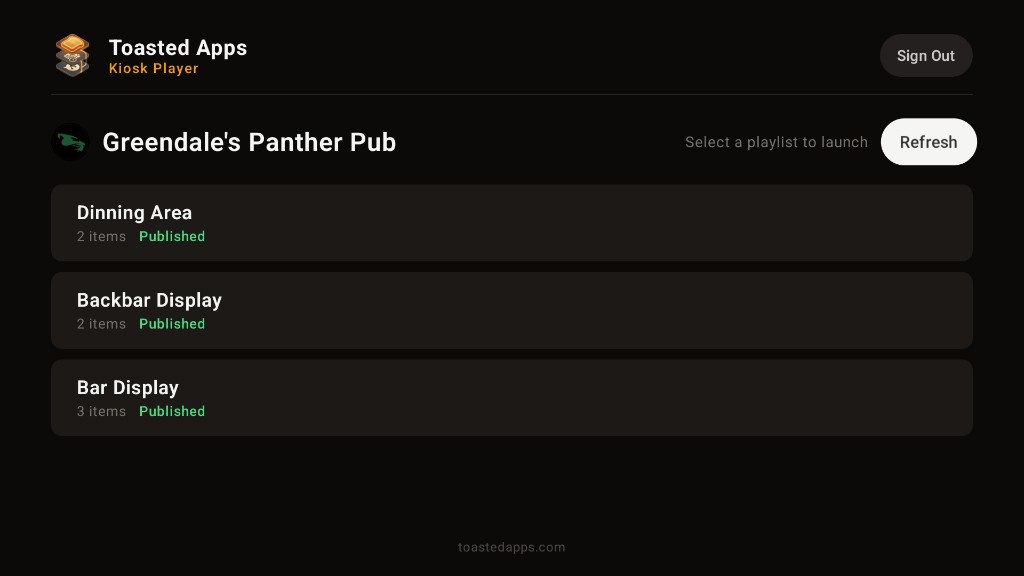
Toasted Apps reads menu data from Toast using API credentials supplied by the restaurant. It does not replace Toast POS. Its digital menu board feature can present menu playlists on televisions and in mobile web layouts.
For an operator, the practical goal is to define one approved place where the active beer information is maintained. Document exactly which menu records feed the tap-list playlist and which changes staff are expected to make.
Do not assume that every edit will appear in every layout exactly as expected. Test your own configuration, update path, and display behavior before relying on it during service.
Create a 60-second screen check
A useful verification routine should be short enough to survive a Friday night.
Have the verifier stand where a guest would normally read the television and check:
- The replacement beer appears on the correct tap position.
- The old beer is no longer listed as available.
- The brewery and beer names are spelled correctly.
- The style, pour size, and price match the approved information.
- Text is not cut off or difficult to read.
- The television is showing the intended playlist.
- Any other television showing the tap list matches.
A Toasted Apps team subscription is not priced per television screen. Even so, each additional display becomes another physical checkpoint. Decide whether staff must inspect every screen after a change or whether one designated display is sufficient for routine verification, with a broader check at opening.
Plan for a screen or connection problem
A digital list still needs a fallback. The fallback does not have to reproduce the full presentation; it only needs to help staff communicate the current lineup accurately.
Keep an internal shift sheet with:
- Tap number
- Current beer
- Expected replacement
- Pour size and price
- Time of the latest change
- Initials of the person who verified it
If a television is unavailable, tell the service team immediately and use the current shift sheet until the display is restored. Avoid leaving an outdated list visible if guests could reasonably treat it as current.
Review exceptions after service
When an update fails, identify the exact handoff that broke instead of blaming “communication.” Useful questions include:
- Did the replacement keg differ from the planned backup?
- Was the correct menu record updated?
- Did the employee know which playlist or layout guests were seeing?
- Was the screen checked after the change?
- Did staff continue selling from memory after the lineup changed?
- Was important beer information missing before the shift began?
Turn the answer into a small process correction. If prices are often missing, add price confirmation to opening work. If the wrong record is being changed, label the active tap-list records more clearly in your internal procedure.
Opening and closing checklist
Opening
- Match every displayed beer to the physical tap lineup.
- Confirm likely replacement kegs.
- Review names, styles, pours, and prices.
- Confirm that each television shows the intended playlist.
- Assign the updater and verifier for the shift.
After any rotation
- Confirm the beer is actually available to pour.
- Update the active listing.
- Remove or replace the kicked beer.
- Inspect the guest-facing display.
- Notify the service team.
Closing
- Record any tap changes made during the shift.
- Note taps likely to kick during the next service.
- Flag missing replacement details for management.
- Confirm that tomorrow's opening team has a reliable starting point.
Make accuracy part of the keg change
The most dependable workflow treats the digital update as part of changing the keg—not as an administrative task to handle later. Preparation makes the replacement fast, clear ownership prevents missed updates, and a physical screen check catches errors before more guests see them.
Operators who want to evaluate this approach can review the Toasted Apps digital menu board feature or start a trial.
Toasted Apps is independent and is not affiliated with or endorsed by Toast, Inc.
Sources and further reading
This article was prepared with AI assistance and reviewed against Toasted Apps product facts and first-hand restaurant operating experience.