Digital menu boards
How to Calculate Restaurant TV Menu Board Costs Across Multiple Screens
Per-screen pricing can make a simple menu-board project more expensive as televisions are added. Use this framework to compare quotes and uncover the full operating cost.
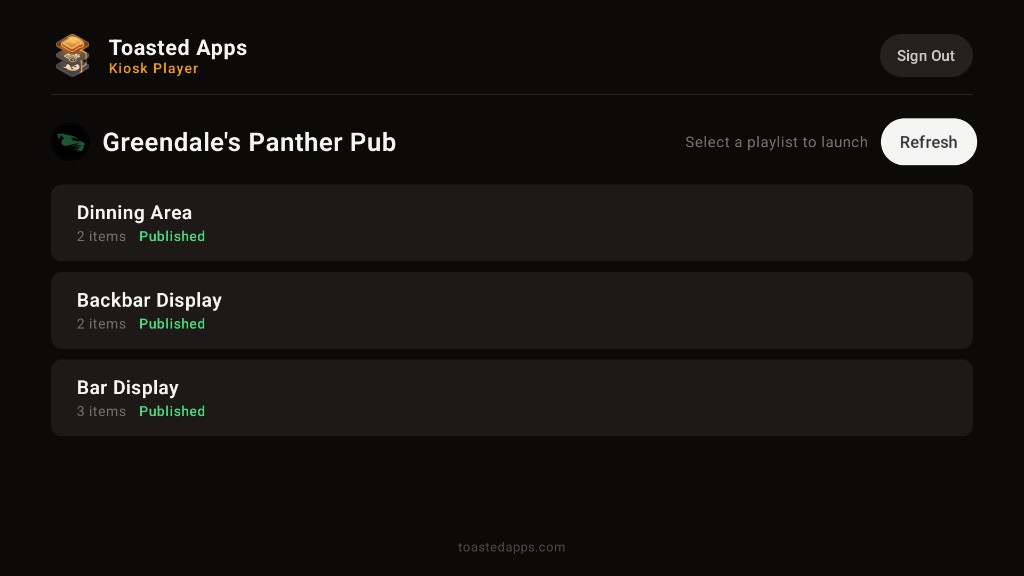
A digital menu board quote may look manageable when it shows the cost for one television. The budget changes quickly when the dining room, bar, pickup area, and drive-thru each need a screen.
The first step is to separate screen-based charges from the other costs required to put a reliable menu in front of guests. That gives you a fair way to compare vendors—even when their pricing structures look completely different.
Start by defining what counts as a screen
Before comparing prices, ask each provider how it counts screens. A “screen” could mean:
- Each physical television
- Each media player connected to one or more televisions
- Each television showing unique content
- Each active display registered in the software
- Each display at a separate location
These definitions matter. Four televisions showing the same playlist may be billed as four screens by one provider and handled differently by another.
Write down your planned setup by service area:
| Area | Television count | Content needed |
|---|---|---|
| Counter | 3 | Food menu split across three displays |
| Bar | 2 | Drinks and rotating specials |
| Pickup area | 1 | Featured items or ordering guidance |
| Total | 6 | Three distinct content groups |
This simple inventory helps a vendor quote the actual deployment instead of an appealing one-screen example.
Use a formula for per-screen software pricing
For software billed by television, the recurring cost can usually be modeled as:
Monthly software cost = base fee + (number of billable screens × per-screen fee) + add-ons
If the provider uses annual billing, calculate:
Annual software cost = monthly software cost × 12
Use the same screen count for every quote unless a vendor clearly defines a different billing unit. Keep optional services—such as content design, premium support, or additional locations—on separate lines.
A comparison worksheet might look like this:
| Cost item | Provider A | Provider B |
|---|---|---|
| Base subscription | $___ | $___ |
| Billable screens | ___ | ___ |
| Cost per screen | $___ | $___ |
| Add-ons | $___ | $___ |
| Estimated monthly total | $___ | $___ |
| Estimated annual total | $___ | $___ |
Do not assume that a flat subscription is automatically less expensive. Compare what is included, how the system fits your workflow, and what equipment or labor you still need.
Account for the hardware behind each television
Software is only one part of a menu-board project. Build a separate startup budget for the physical installation.
Television or display
Record the cost of every new display. If you plan to use televisions already in the restaurant, confirm that they have the required inputs, can be positioned safely, and are suitable for your intended service schedule.
Commercial displays and consumer televisions can differ in warranty terms, operating expectations, brightness, and controls. The right choice depends on placement and daily use, so review the manufacturer’s specifications rather than relying on the screen size alone.
Mounting and installation
Include:
- Wall or ceiling mounts
- Installation labor
- Electrical work, if needed
- Cable routing or concealment
- Permits or landlord approval, when applicable
- Safe access for future maintenance
A low-cost display can become an expensive installation if power and network access are not available where the menu needs to hang.
Playback equipment
Ask whether each television needs a dedicated media player, streaming device, computer, or other playback hardware. Also confirm:
- Whether the device is purchased or leased
- Whether one device can serve multiple televisions
- Whether separate content requires separate devices
- Who replaces a failed device
- Whether remote management carries an additional charge
Do not buy hardware until the software provider confirms its requirements.
Network access
A menu board may depend on a stable network connection for updates or playback. Ask what happens when connectivity is interrupted and whether any content remains visible. If you need new cabling, network equipment, or professional configuration, include that in the startup cost.
Put manager labor into the budget
The least visible cost is often the time required to keep the boards accurate.
Consider who will handle:
- Price and menu-item changes
- Sold-out items
- Daypart transitions
- Seasonal promotions
- Image preparation
- Playlist scheduling
- Screen troubleshooting
- Opening and closing checks
Estimate the labor with a basic formula:
Monthly management cost = hours spent per month × loaded hourly labor cost
Even if you do not assign that amount directly to the signage budget, tracking it helps reveal whether a lower software price creates more work for managers.
When evaluating a product, ask for a live demonstration of an ordinary change: update an item, remove an unavailable product, publish the change, and verify what appears on each television. That workflow is more informative than watching a finished promotional playlist.
Separate one-time, recurring, and replacement costs
A useful restaurant TV menu board budget has three sections.
One-time startup costs
- Televisions or displays
- Mounts and cables
- Playback devices
- Installation labor
- Electrical or network work
- Initial menu setup or design
- Staff training
Recurring operating costs
- Software subscription
- Per-screen charges
- Device leases
- Support plans
- Design services
- Internet or network expenses attributable to the setup
- Manager and marketing labor
Long-term replacement costs
- Failed or damaged televisions
- Replacement playback devices
- Remounting or service calls
- Expansion when another service area needs a display
For planning purposes, divide expected replacement spending across the period in which you expect to use the equipment. Confirm the appropriate accounting treatment with your accountant.
Model expansion before choosing per-screen pricing
A restaurant rarely adds every display at once. You might begin with three counter screens, then add a bar display and a pickup screen later.
Calculate at least three scenarios:
- Opening setup: the minimum number of screens needed now
- Likely setup: screens you reasonably expect to add
- Full setup: every planned menu-board position in the location
For a provider charging P per screen each month, the software portion would be:
- Three screens: 3 × P
- Five screens: 5 × P
- Eight screens: 8 × P
Then add any base subscription and optional services. This shows how a quote behaves as the restaurant grows, rather than only what it costs on the first day.
Questions to ask before approving a quote
Use this checklist during a sales call or product demonstration:
- What exactly counts as a billable screen?
- Is pricing monthly, annual, or contract-based?
- Does adding a television automatically increase the subscription?
- Is a separate license required for each location?
- Does each television need its own playback device?
- Can multiple screens show different playlists?
- Are scheduling and dayparts included?
- Are menu updates self-service?
- Are setup, training, and support separate charges?
- What happens when the internet connection drops?
- Can existing televisions be used?
- Who owns purchased or leased playback equipment?
- How are cancellations, screen removals, and location closures handled?
- Are taxes, shipping, installation, and replacement hardware included in the quote?
Get the answers in writing. A clear quote should identify both the billing unit and the equipment required to operate each display.
How Toasted Apps approaches television pricing
A Toasted Apps team subscription is not priced per television screen. Digital menu playlists can be presented on televisions and in mobile web layouts.
Toasted Apps digital menu boards read menu data from Toast using API credentials supplied by the restaurant. The product does not replace Toast POS.
Not charging per television does not eliminate the rest of the project budget. Restaurants still need to evaluate their displays, mounting, installation, network access, playback setup, internal labor, and any future replacement needs. Confirm current subscription terms and technical requirements for your planned configuration before purchasing hardware.
Toasted Apps is independent and is not affiliated with or endorsed by Toast, Inc.
Build the decision around total operating cost
The useful question is not simply, “What does one screen cost?” It is:
What will this complete setup cost to install, operate, update, support, and expand?
Count every planned television, clarify the vendor’s billing unit, and separate software from hardware and labor. Then compare the opening, likely, and full-screen scenarios side by side.
If you want to evaluate a team subscription that is not priced per television screen, you can start a Toasted Apps trial. Test the real workflow your staff will use, including menu changes, playlists, and the number of televisions you expect to operate.
Sources and further reading
This article was prepared with AI assistance and reviewed against Toasted Apps product facts and first-hand restaurant operating experience.